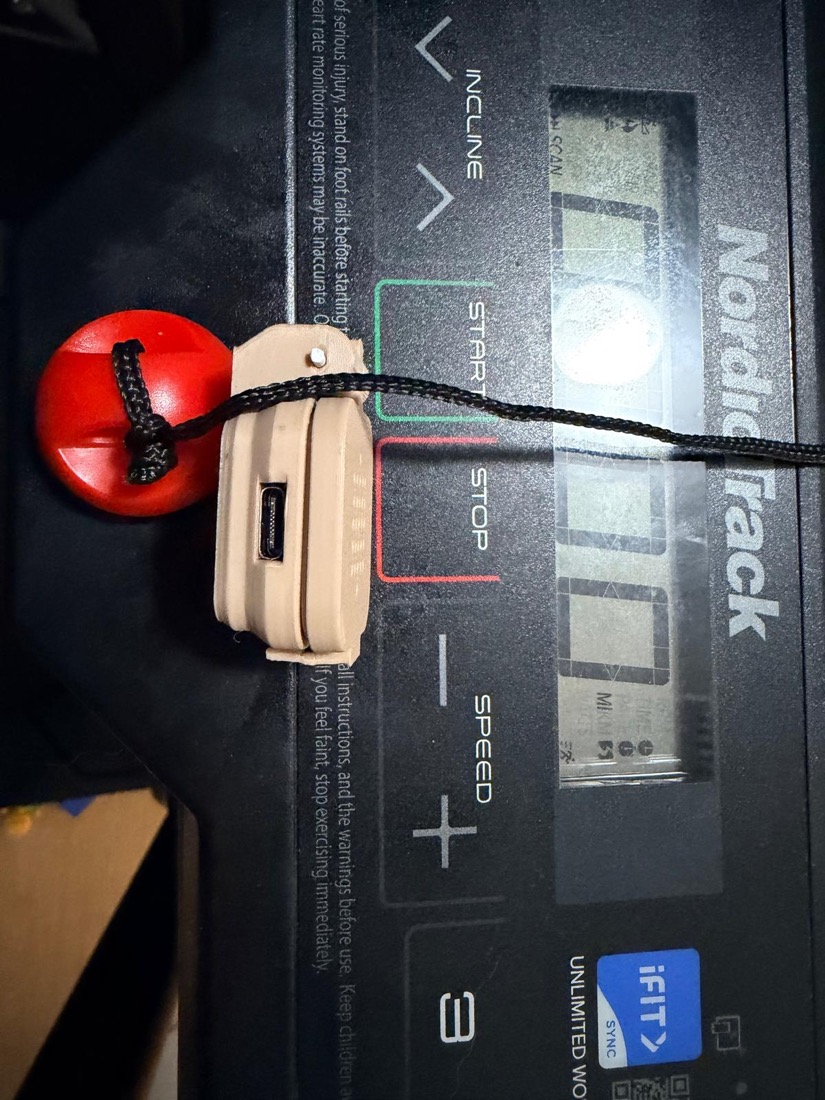
I run on a NordicTrack T5, which is not new but not that old either, and like everything else in my house, I wanted it in Home Assistant. Speed, incline, time, the works, showing up on their own the second I step on the belt. How hard could it be. It talks Bluetooth, it says so right there on the box.
Well.
Most treadmills are easy. Mine was not.
Most fitness gear that speaks Bluetooth uses a standard called FTMS, the Fitness Machine Service. Home Assistant reads it out of the box, Zwift reads it, half the apps on your phone read it. If your treadmill speaks FTMS, you are done in five minutes and you did not need me to write this.
Plenty of NordicTrack, ProForm and iFit machines do not speak FTMS. Mine introduces
itself over Bluetooth as I_TL on a proprietary Nordic-Semiconductor service
(00001533-...), wrapped in a custom message format that absolutely nothing
off-the-shelf understands. So Home Assistant connects, has a look around, finds
nothing it recognizes, and quietly gives up. The treadmill is right there
talking, and the house is deaf to it.
So I sat down and reverse-engineered it.
The hard part: it never speaks first
It cost me an evening. You connect to the treadmill, you subscribe to its notifications the normal way, and you get nothing back. Dead silence. It looks broken.
The treadmill simply never volunteers anything. It only answers when it is asked, like a lot of people I know. The phone app is the clock: it writes a tiny command roughly every 200 milliseconds, which is five times a second. The chit chat is incredible. Each one of those writes pokes the machine into firing back a short burst of replies. Stop asking and the data stops. The belt can be flying along under your feet and over Bluetooth it looks fast asleep.
The moment I copied that rhythm, sending the same little poke every 200 ms, the data came pouring out.
Reading the numbers
The telemetry comes back on a page I started calling 0x29. After lining up my
own packet captures against a couple of other people who had prodded these
machines before me, the decode turned out to be clean:
- Speed: bytes 10 to 11, little-endian, divide by 100, gives km/h
- Incline: bytes 12 to 13, little-endian, divide by 100, gives percent
- Elapsed: byte 14, plain seconds
I checked it against the console while walking. The display read 3 mph, the bytes
said 482, which is 4.82 km/h. 5 mph came back as 804. A 6 percent incline read
as 300. Exact, every time. That is the good moment, when the guesses turn into
numbers that match reality.
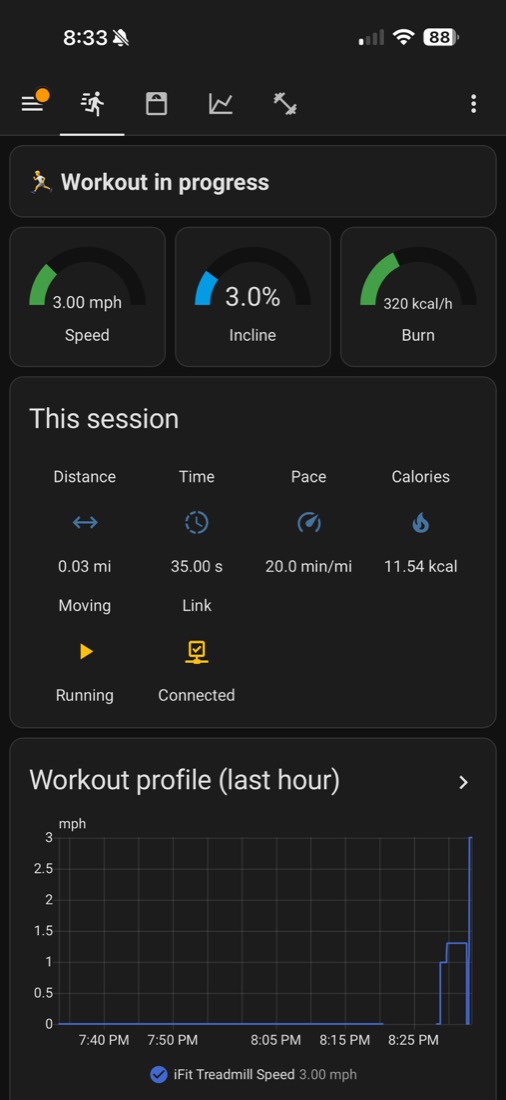
From a laptop hack to a box that just works
I proved the whole thing with a scrappy Python script first, leaning on bleak
for the Bluetooth. Once it was solid I moved it onto an ESP32-S3, a chip about the
size of a stick of gum. It scans for the treadmill, replays the startup
handshake, runs the 200 ms poll forever, decodes the page, and pushes everything
to Home Assistant over MQTT with auto-discovery, so the sensors simply appear.
Now it lives plugged into any USB charger near the treadmill and I never touch it. I walk up, I run, and the workout lands in Home Assistant on its own.
The part I am quietly proud of: it also works out calories from my real body weight, which it pulls from my smart scale, using the ACSM metabolic equations. The treadmill itself cannot do that, because it has no idea who is standing on it. My house does.
Want one?
The firmware, the 3D-printed enclosure, the Home Assistant dashboard and the full protocol write-up are all open source, so if you enjoy decoding Bluetooth at midnight, go for it, it is all there:
- nordictrack_t5, the ESP32-S3 bridge firmware, the enclosure and the dashboard, plus the protocol notes And if you would rather the little box just show up ready to plug in, that is exactly the kind of thing I build and ship. Either way, your treadmill stops being a dumb island in the corner.